Working from home has matured from a temporary arrangement into a long-term lifestyle for many Australians. As hybrid schedules settle in and households juggle multiple roles, home offices must work harder than ever—supporting productivity, wellbeing, and a sense of calm. In 2025, the best setups are smart, sustainable, and beautifully integrated with daily life. They borrow ideas from commercial workplaces—acoustics, ergonomics, and lighting—then tailor them to the scale and personality of the home.
This guide explores the most important trends for homeowners and remote workers, with practical tips you can apply whether you’ve got a spare room, a study nook off the kitchen, or a quiet corner of the living area.
The 2025 Remote Reality: Why Your Home Office Needs an Upgrade
The way we work keeps evolving, but one thing is clear: home offices are no longer “nice to have”. They’re a core part of how we manage our days, collaborate across time zones, and maintain boundaries between work and home life. In 2025, a modern home office must be adaptable—ready for deep focus one hour and video calls the next. It must also protect your health with good posture, healthy lighting, and decent air quality.
Finally, it should be visually pleasing so you actually enjoy sitting down to work. If your space still feels like a temporary fix, these trends will help you rethink layout, furnishings, and tech to create a workspace that earns its footprint.
Key shifts to recognise:
- Hybrid work is stable: spaces must flex for different tasks and users.
- Meetings are mostly virtual: backgrounds, acoustics, and cameras matter.
- Wellness drives performance: ergonomics and biophilic elements reduce fatigue.
- Smart tech is invisible: fewer cables, more automation, less visual clutter.
What’s Changing in Home Office Design in 2025?
If you last updated your setup during the early work-from-home rush, 2025 will feel like a different world. The scattergun approach—buying a chair here, a light there—has given way to considered design that treats your workspace like any other room in the house. Think modular furniture you can rearrange, acoustic treatments that look like art, and lighting that supports your body’s natural rhythm.
You’ll also see more emphasis on sustainability: buying fewer, better pieces that last, and selecting materials with lower environmental impact. Most importantly, home offices are being designed to disappear when the workday ends, so your brain can rest and the room can return to family life.
2025 highlights:
- Modular zones: desks on casters, folding tables, and mobile screens.
- Acoustic layering: soft finishes, area rugs, and discreet sound panels.
- Human-centric lighting: warmer evenings, cooler mornings.
- Sustainable materials: FSC timber, recycled aluminium, low-VOC paints.
How Do You Plan Space in a Typical Aussie Home?
Not every home has a spare room, and even when it does, that room often needs to multitask. In Australia, where open-plan living is common, the challenge is carving out a workspace without disrupting family flow. Start by identifying a quiet micro-zone: a wall niche, under-stair alcove, or a bedroom corner with a door you can close. Measure carefully—depth matters as much as width—and consider traffic patterns so screens aren’t visible from the main living area after hours. The goal is a spatial plan that respects both work demands and home comfort, with furniture sized to the footprint and acoustics tuned to your surroundings.
Planning tips:
- Desk depth: aim for 700–800 mm; 600 mm is workable with a monitor arm.
- Chair clearance: allow at least 900 mm behind the chair to move freely.
- Sightlines: avoid facing a wall directly if possible; position to capture natural light from the side.
- Zoning: use a rug (1.6–2 m width), a bookcase divider, or a sliding screen to define the area.
Ergonomics 2.0: What Keeps You Comfortable All Day?
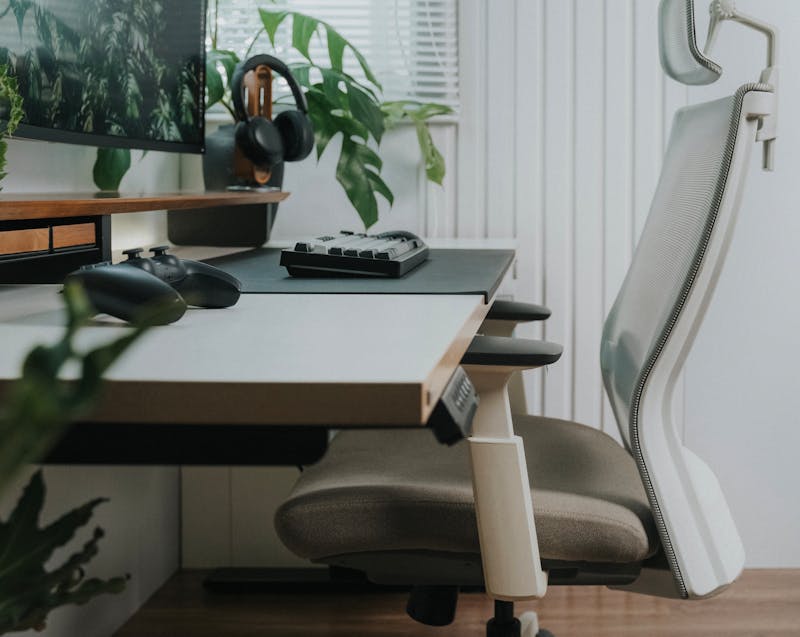
Sore necks and tight hips aren’t badges of honour; they’re design problems. Ergonomic thinking in 2025 focuses on movement variability rather than a single “perfect” posture. You’re aiming for a setup that invites small changes throughout the day—standing for calls, perching for quick emails, sitting properly for deep work. Add in a monitor at eye level, a keyboard that keeps wrists neutral, and a chair that supports your lumbar curve. Don’t neglect the floor: a supportive mat at a standing desk reduces leg fatigue, and an area rug helps with acoustics and warmth.
Quick ergonomic wins:
- Chair: adjustable seat height, backrest, lumbar support, breathable fabric.
- Desk: sit-stand range 650–1250 mm; program two heights you’ll actually use.
- Screen: top of monitor at or slightly below eye level; arm’s length away.
- Input devices: split keyboard or vertical mouse to reduce wrist strain.
- Micro-moves: set a timer to change position every 30–45 minutes.
Biophilic Design & Wellbeing: Why Bring Nature In?
Your nervous system works better in spaces that nod to nature. In 2025, biophilic home office design goes beyond a token pot plant. It’s about a sensory ecosystem: daylight from the side, a view to the garden, natural textures under hand, and a palette that calms rather than distracts. Plants do double duty—softening acoustics and improving perceived air quality—while timber, wool, and stone add tactile richness. Even if you’re in a flat, you can add nature through imagery, a small water feature, or aromatics like eucalyptus and lemon myrtle to subtly mark the start and end of your workday.
Biophilic toolkit:
- Plants: devil’s ivy, peace lily, rubber plant—low-maintenance and resilient.
- Materials: FSC timber desktops, wool throws, linen pinboards.
- Views: place your desk to capture sky or greenery; use sheer curtains to diffuse glare.
- Scent & sound: soft ambient noise, subtle natural fragrances to reduce stress.
Smarter, Quieter Tech: What Should You Automate?
Technology should support concentration without shouting for attention. In 2025, many homeowners opt for quiet tech: hub-free smart lights, presence-sensing power boards, and compact, high-quality microphones. Automation handles the repetitive bits—lights shift warmer after 5 pm, blinds drop for glare control, and a small fan nudges fresh air across the desk. Cable chaos is out: a single USB-C hub feeds your monitor, charging, and peripherals. For hybrid workers, a portable kit (folding keyboard, travel webcam, and in-ear monitors) lets you maintain the same ergonomics at a café or client site.
Smart upgrades that matter:
- Lighting scenes: “Focus”, “Meet”, and “Wind-Down” presets.
- Noise control: CPU-efficient apps for noise suppression and echo cancellation.
- Connectivity: reliable Wi-Fi with a mesh node placed near the study nook.
- Power: surge-protected board with individually switched outlets tucked under the desk.
- Security: privacy screen filters and a physical webcam shutter.
Lighting That Works With Your Body Clock
Good lighting is the unsung hero of a productive day. In 2025, human-centric lighting is mainstream, blending daylight strategy with responsive LED systems. The rule of thumb: layer it. Use abundant indirect ambient light, a bright but glare-free task lamp, and softer accents to avoid harsh contrast on camera. Natural light should come from the side to prevent screen glare; use a roller blind or sheer to smooth daylight across the desk. As evening approaches, shift towards warmer tones (2700–3000 K) to cue your body for rest, while keeping the desktop bright enough for reading notes without squinting.
Lighting checklist:
- Task lamp: adjustable arm, high CRI (90+), dimmable.
- Ambient: ceiling or wall-wash fittings to avoid “spotlit” hotspots.
- Backlight for video: a gentle fill light behind your screen reduces shadows.
- Control: smart dimmers or a desktop dial so you actually use the settings.
- Reflectance: matte surfaces on walls and desk to reduce glare.
Acoustic Comfort: Can You Hear Yourself Think?
Open-plan homes and lively neighbourhoods can make quiet concentration a challenge. In 2025, acoustic comfort will be solved with a combination of absorption, diffusion, and behavioural cues. Absorption comes from rugs, curtains, soft pinboards, and upholstered chairs. Diffusion arrives via bookcases filled with mixed-depth objects. Behavioural cues include a visible “on air” light outside the study to deter interruptions during calls. If you share a space, place your desk so the microphone points away from noise sources, and consider a desk-mounted screen to block sound reflections.
Acoustic strategies:
- Rug under desk (at least 8–10 mm pile).
- Curtain wall behind the camera for both sound and a tidy backdrop.
- Felt pinboard panels double as mood and task boards.
- Desktop mic with cardioid pattern to reject background noise.
- White noise or soft ambient tracks to mask intermittent sounds.
Storage & Cable Management: How Do You Hide the Mess?
Visual clutter saps energy. The 2025 approach is to design storage in layers: immediate reach for daily items, a nearby cabinet for weekly gear, and a remote cupboard for occasional kit. Keep your desktop almost empty—screen, light, keyboard, notebook—then let a pedestal drawer or wall-hung credenza swallow everything else. For cables, use a single under-desk tray, adhesive clips along leg frames, and short Velcro ties. Mount the power board under the desktop so only one visible lead drops to the floor. Label each cord once, then forget it exists.
Declutter blueprint:
- Daily: pen cup, A5 notebook, coaster, charging pad.
- Weekly: printer in a closed cabinet; paper and cartridges in the drawer below.
- Occasional: tripods, spare cables, and travel kit in labelled boxes.
- Cables: a 10-port USB-C dock + cable sleeve + under-desk raceway.
Sustainable & Circular Choices: What’s Better for the Planet?
Australians are increasingly choosing to buy once, buy better. In 2025, sustainable home office design means choosing durable pieces with repairable parts, finishes with low VOCs, and suppliers who disclose material sources. Timber desks made from FSC-certified hardwoods, recycled aluminium frames, and wool or 100% recycled PET acoustic panels are common picks. You’ll also see creative re-use: vintage timber drawers under a new desktop, or a refurbished task chair with a fresh seat pad. The aim isn’t perfection; it’s reducing waste while building a space that lasts a decade, not a season.
Sustainability actions:
- Prioritise locally made furniture to cut freight emissions.
- Select low-VOC paints and adhesives; ventilate for 48 hours post-install.
- Choose modular parts—legs, tops, arms—you can swap or repair.
- Sell or donate redundant gear; recycle e-waste responsibly.
- Pick quality over quantity: one excellent chair beats three average ones.
Style Notes: What Looks Fresh (Without Dating Fast)?
Trends come and go, but a few 2025 aesthetics are both current and enduring. Warm minimalism is the headline: a tidy room layered with texture rather than trinkets. Think pale timber, off-white walls with a hint of warmth, and a grounded rug in sand or clay. Japandi continues to influence: low visual noise, clear lines, and tactile natural fibres. A single statement—a sculptural task lamp, a curved desk edge, or a bold art print—keeps the space from feeling flat. Colour is quieter this year: mossy greens, muted blues, and warm neutrals that look professional on camera and soothing in person.
Styling pointers:
- Keep the background simple; let your personality show via one art piece.
- Use curved edges on desks and shelving to soften the tech.
- Mix matte and satin finishes for subtle depth on camera.
- Limit décor to a 60/30/10 ratio: calm base, supporting tones, one accent.
The Video-Ready Backdrop: What Do People See on Calls?
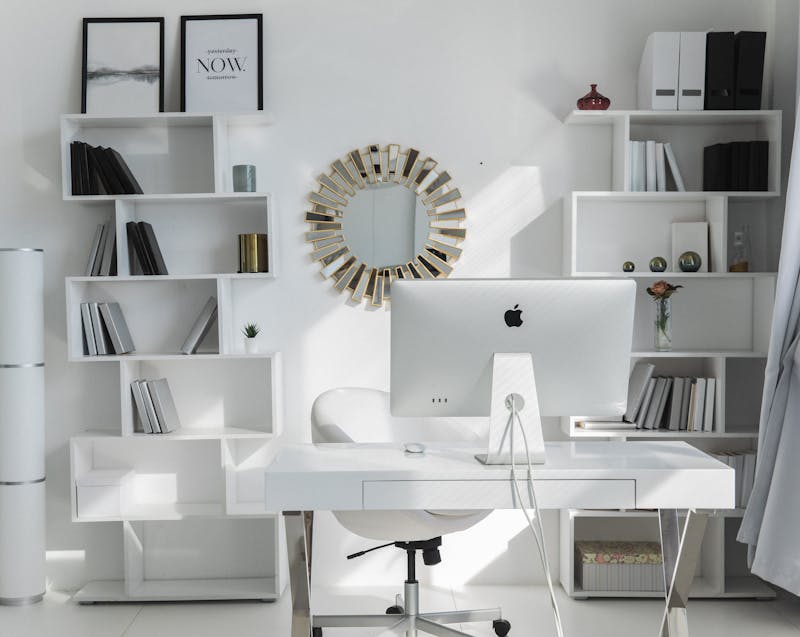
Your backdrop is a brand—whether you’re consulting, managing a team, or meeting suppliers. In 2025, the polished look is considered but real: shelves with a few choice books, a plant, a framed certificate or artwork, and soft light. Avoid reflective glass behind you; frame artwork with matte glazing or mount canvas prints. Keep a neutral base colour on the wall (warm white or soft stone), then add texture with a fabric pinboard or timber slats. Most webcams prefer indirect light, so position a fill light behind your monitor and dim any downlights overhead that cast shadows.
Backdrop checklist:
- 1–2 plants at shoulder height to frame your head in shot.
- A tidy shelf with 5–7 carefully chosen objects—not a warehouse of clutter.
- A neutral wall colour (LRV 60–70) for flattering skin tones.
- An “off-duty” blind you can drop to hide the work zone after hours.
Budgets, Value & ROI: Where Should You Spend or Save?
A great home office doesn’t require a huge budget, but targeted spending pays for itself in comfort and output. Treat your chair, desk, and lighting as investment pieces—items that directly influence health and productivity. Save on décor and some storage by using clever IKEA-plus-custom hacks or updating vintage finds with new hardware. Consider total cost of ownership: a solid timber desk might cost more up front, but outlasts cheaper options by years. Don’t forget to budget time for setup, cable management, and proper calibration of your tech. The result is a space that works smoothly every day.
Spend more on:
- Ergonomic chair with comprehensive adjustments.
- Sit-stand desk with a reliable motor and memory presets.
- High-CRI task lighting and a quality monitor.
Save (smartly) on:
- Shelving, pinboards, and drawer inserts.
- Second-hand or refurbished accessories.
- Decorative items—add slowly after the essentials feel right.
A Step-By-Step Makeover Plan You Can Start This Weekend
Big transformations happen through small, well-sequenced moves. This weekend-friendly plan will help you refresh the essentials without chaos. Tackle one phase at a time, and don’t bring in new décor until the functional core is humming. By Monday, you’ll feel the difference—clearer thinking, better posture, calmer video calls. By the end of the month, you’ll have a space that looks great and performs even better.
Phase 1: Clear & Measure (1–2 hours)
- Empty the space, leaving only the desk and chair.
- Measure wall width, desk depth, chair clearance, and power points.
- Photograph the room in daylight and at night to assess lighting.
Phase 2: Plan & Prioritise (1 hour)
- List the top five tasks your office must support (e.g., writing, design, calls).
- Allocate zones accordingly: screen zone, reference zone, storage zone.
- Choose a palette: warm white, natural timber, one muted accent.
Phase 3: Ergonomics First (2–3 hours)
- Adjust the chair and set two desk heights (sit/stand).
- Mount a monitor arm; set eye level and distance.
- Add a footrest or standing mat as needed.
Phase 4: Light It Right (1–2 hours)
- Add an adjustable task lamp; reposition ambient lights to avoid glare.
- Set “Focus”, “Meet”, and “Wind-Down” lighting scenes.
- Install a sheer or roller blind for daylight control.
Phase 5: Tame the Noise (1–2 hours)
- Lay a rug; hang a curtain or felt pinboard behind the camera.
- Place a bookcase at a 45° angle to break up reflections.
- Test your microphone placement and noise suppression.
Phase 6: Store & Hide (1–2 hours)
- Fit an under-desk cable tray and mount the power board.
- Sort items into daily/weekly/occasional storage layers.
- Label cables and pack a portable hybrid-work kit.
Phase 7: Style & Personalise (ongoing)
- Add one statement lamp or artwork, then stop.
- Introduce greenery that suits the light levels.
- Review in two weeks; remove anything that creates visual noise.
Frequently Asked Questions (2025 Edition)
How big should my desk be?
Aim for 1200–1600 mm wide and 700–800 mm deep. If space is tight, a 1000 mm desk with a monitor arm can still work well.
Do I really need a sit-stand desk?
Not mandatory, but alternating positions reduces strain. If you prefer seated work, add a perching stool and set movement reminders.
What colour walls are best on camera?
Warm whites and soft neutrals (think stone or sand) flatter most skin tones and reduce glare. Keep bold colours to accessories.
Can I share the space with a guest room?
Yes—use a sofa bed rather than a bulky frame, add a folding desk, and store peripherals in a lidded ottoman when guests arrive.
What’s the fastest way to improve video quality?
A decent task/fill light, the camera at eye height, and a neutral, uncluttered background. Position the light 45° off-centre to soften shadows.
2025 Shopping Shortlist: Essentials That Earn Their Keep
- Adjustable chair: seat height, depth, lumbar, armrests, and recline tension.
- Sit-stand desk: stable frame, quiet motors, memory presets.
- Monitor + arm: 27–32″ QHD/4K, arrange so the top is at or just below eye level.
- Task lamp: dimmable, high CRI, articulated arm.
- Keyboard & mouse: ergonomic shapes; consider split and vertical options.
- Cable kit: raceway, Velcro ties, under-desk tray, labelled leads.
- Acoustic softeners: rug, curtain, pinboard panels.
- Greenery: low-maintenance plants sized to the space.
- Storage: wall-hung shelves, a mobile drawer unit, and lidded boxes.
- Portable hybrid kit: compact mic, foldable keyboard, webcam, in-ear monitors.
Putting It All Together: A Space You’ll Love to Use
The most successful home offices in 2025 are quietly capable. They don’t scream for attention; they support your work with subtle, thoughtful design. Start with the fundamentals—space planning, ergonomics, lighting, acoustics—then layer in technology that hides in plain sight. Use natural materials and a restrained palette to keep stress down and focus up. Finally, remember that your office exists inside your home. Make it easy to switch off: drop the blind, turn on your evening scene, and put the laptop away. With the right design, your workday ends cleanly—and your living space feels like home again.